Using This Checklist
This checklist breaks down CRA compliance into practical engineering tasks. It's organized by phase and priority. Use it to track your team's progress and identify gaps.
Roadmap Approach
We recommend a phased approach: start with assessment and foundational work, then move to security implementation, documentation, and finally validation. This checklist follows that structure.
Phase 1: Assessment & Planning
Before you start implementing, understand your starting point.
Determine CRA Applicability
Confirm your product is in scope (hardware or software with digital elements sold in EU).
Classify Your Product
Determine if your product is Default, Important Class I, Class II, or Critical.
Take Assessment →Identify Conformity Assessment Path
Based on classification, determine if self-assessment is allowed or third-party is needed.
Inventory All Products
Create a list of all products/variants that need to comply with CRA.
Gap Assessment
Compare current security practices against all 22 CRA requirements.
Use Requirements Explorer →Create Compliance Roadmap
Based on gaps, create a prioritized plan with milestones for the December 2027 deadline.
Phase 2: Security Foundations
Implement the core security capabilities required by CRA.
Implement Secure Development Lifecycle (SDL)
Establish security requirements, threat modeling, code review, and testing practices.
Set Up SBOM Generation
Integrate SBOM generation into your build pipeline (CycloneDX or SPDX format).
SBOM Guide →Implement Secure Update Mechanism
Build capability to deliver signed, verified security updates to users.
Review & Fix Default Configurations
Ensure product ships secure by default: no default passwords, encryption enabled, minimal permissions.
Encrypt Data in Transit and at Rest
Implement TLS for all network communications, encrypt sensitive stored data.
Implement Logging & Anomaly Detection
Add security event logging and ability to detect/report potential security anomalies.
Phase 3: Vulnerability Management
Set up processes for handling security vulnerabilities.
Create Vulnerability Disclosure Policy (VDP)
Publish a policy explaining how researchers can report vulnerabilities.
VDP Builder →Set Up security.txt
Create and publish a security.txt file pointing to your VDP and security contact.
security.txt Generator →Establish Vulnerability Tracking
Set up a system to track reported vulnerabilities from intake through resolution.
Create Incident Response Plan
Document procedures for responding to security incidents, including ENISA reporting.
Learn More →Implement Dependency Scanning
Set up automated scanning for vulnerabilities in third-party dependencies.
Phase 4: Documentation
Create the documentation required for conformity assessment.
Technical Documentation
Document product design, security architecture, and how requirements are met.
Risk Assessment Documentation
Document cybersecurity risks, mitigations, and residual risk acceptance.
User Instructions
Create clear instructions for secure installation, configuration, and use of the product.
EU Declaration of Conformity
Prepare the formal declaration stating compliance with CRA requirements.
Declaration Template →Support Period Declaration
Define and document the security support period (minimum 5 years or product lifetime).
Phase 5: Validation & Certification
Verify compliance and complete the conformity assessment process.
Internal Compliance Review
Review all requirements against implementation evidence before external assessment.
Use Requirements Explorer →Security Testing
Conduct penetration testing, vulnerability assessment, and security code review.
Notified Body Assessment (if required)
For Class II/Critical products, engage a Notified Body for third-party assessment.
Apply CE Marking
After successful conformity assessment, apply the CE marking to the product.
Establish Ongoing Monitoring
Set up processes for continuous compliance monitoring and annual reviews.
Download & Track Your Progress
Use our digital tools to track your compliance progress:
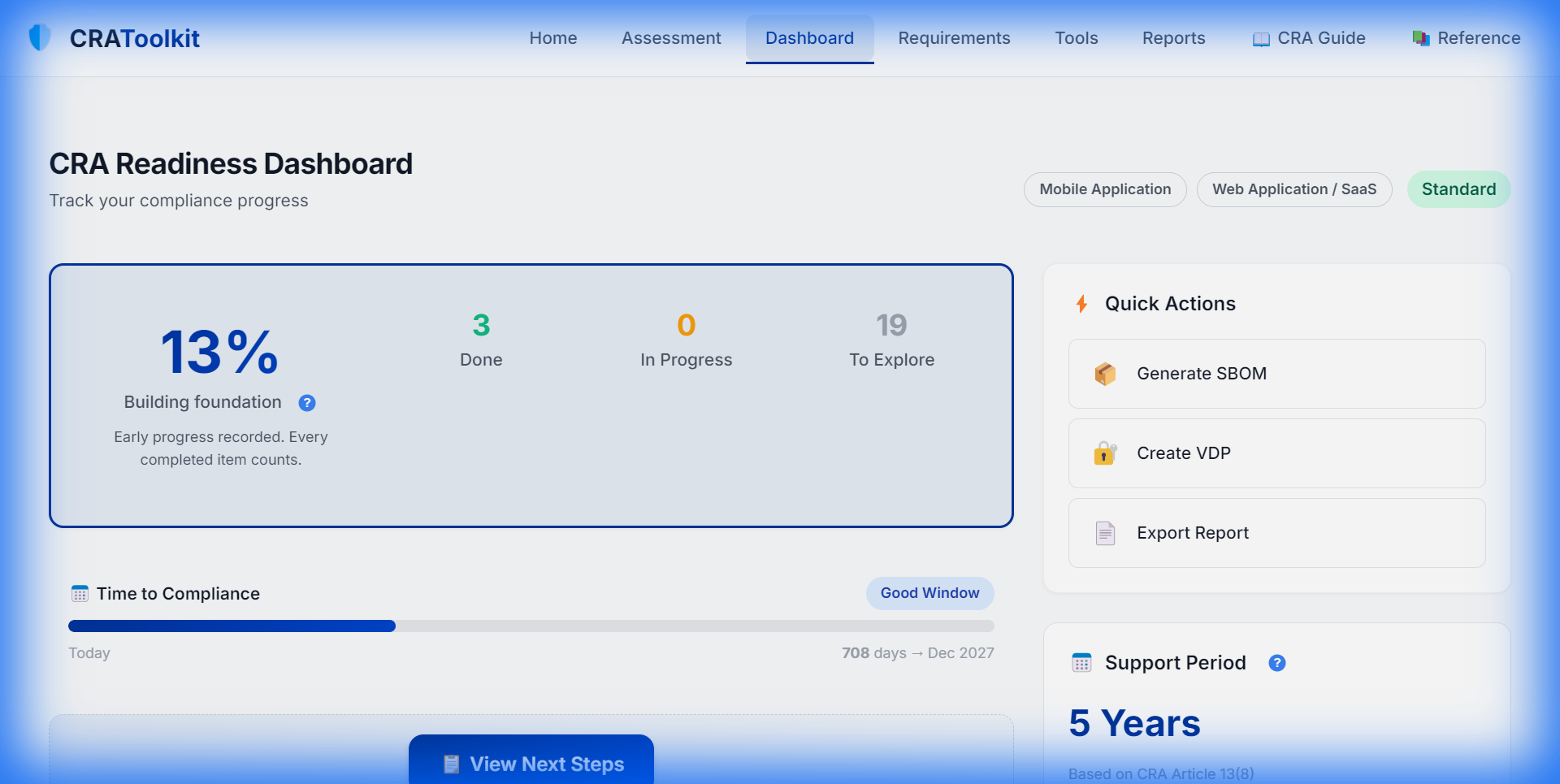
Compliance Dashboard
Track your progress across all phases with visual metrics and quick action links.
Start Your Compliance Journey
Take our free assessment to get a personalized roadmap based on your product and current state.
Start Free Assessment